Mikrotik 3.x and Above Configuration Step by Step
Mikrotik 3.x and Above Configuration Step by Step
Download mikrotik 3.30 with livecd Gentoo cracker (level 6 key) .
Read Included Instructions carefully ..
Mikrotik 3.30 Crack at 4Shaerd
OR
OR
1. Install mikrotik on x86 (with 2 Ethernet Ports)
2. Start Mikrotik System
3. you will need a windows system to access your Mikrotik
4. How to configure Mikrotik via Winbox see below ...
1. Adding Ip Address:
Ether1: Wan (Internet)
Ether2: Lan (Clients)
Click "new terminal" as Picture.

Now Copy and paste Below ..
/ip address
add address=10.10.10.1/24 disabled=no interface=ether2 network=10.10.10.0
add address=192.168.1.2/24 disabled=no interface=ether1 network=192.168.1.0
2. Adding "DNS" (see Image)

Change DNS
1st DNS address : 182.190.0.21
2nd DNS address : 203.99.163.240
3rd DNS address : 8.8.8.8
4th DNS address : 8.8.4.4
Chek on ====> Allow Remote address
Max UDP Packaet size = 10000
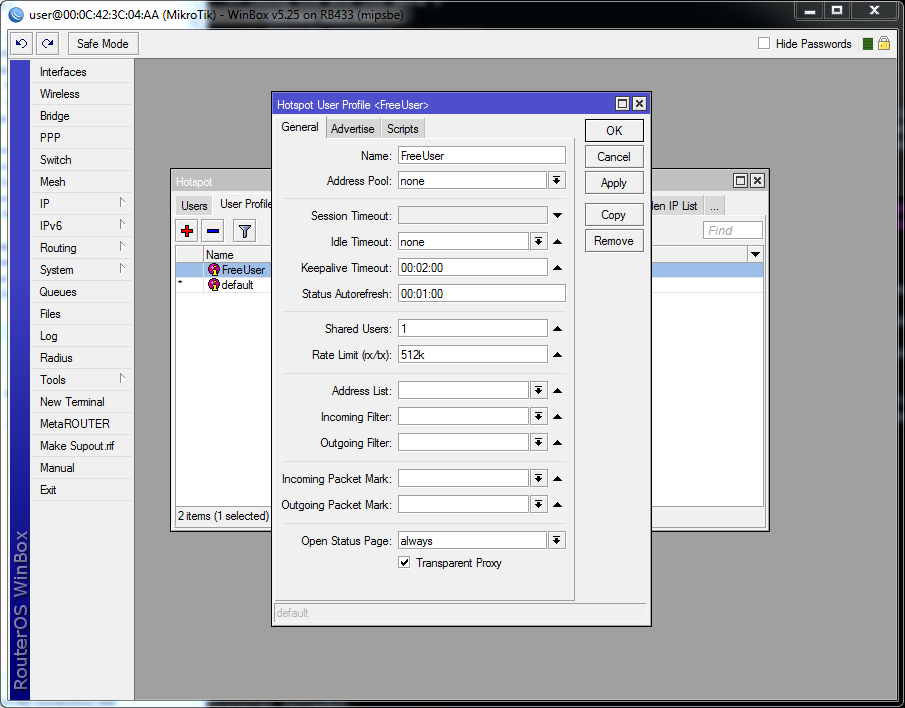
3. Now Hotspot Setup
1

2

3

4

5

6

7

8

Your Hotspot is Complete ...
4. Now pppoe server Settings
1

2

3

Your pppoe server is Complete ...
5. Now Adding Route
1

Your Mikrotik Server with hotspot and ppoe is Complete ...
Regard's
Waseem Anjum Meo


Comments
Post a Comment